
DNS records tell the internet where to find your website and where to deliver your email. You might need to add or change one to connect a service such as Google Search Console, Microsoft 365 or an email marketing tool.
Before you start: this only applies if your domain uses our nameservers, ns1.barrukohost.com and ns2.barrukohost.com. If your domain uses Cloudflare or another provider for DNS, make the change there instead. Changing the wrong record can stop your website or email working, so if you're not sure, raise a ticket and we'll make the change for you.
Finding your DNS records
- Log in to cPanel. See How to log in to cPanel if you're not sure how.
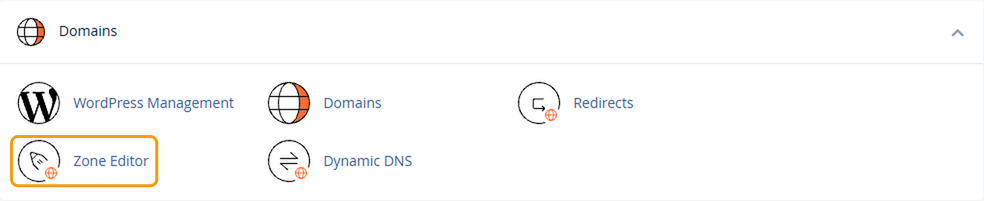
- Under Domains, click Zone Editor.
- Find your domain in the list and click Manage.

You'll see all the DNS records for that domain. You can use the filters at the top to show only one type, such as TXT or MX.
Adding a record
- Click Add Record.
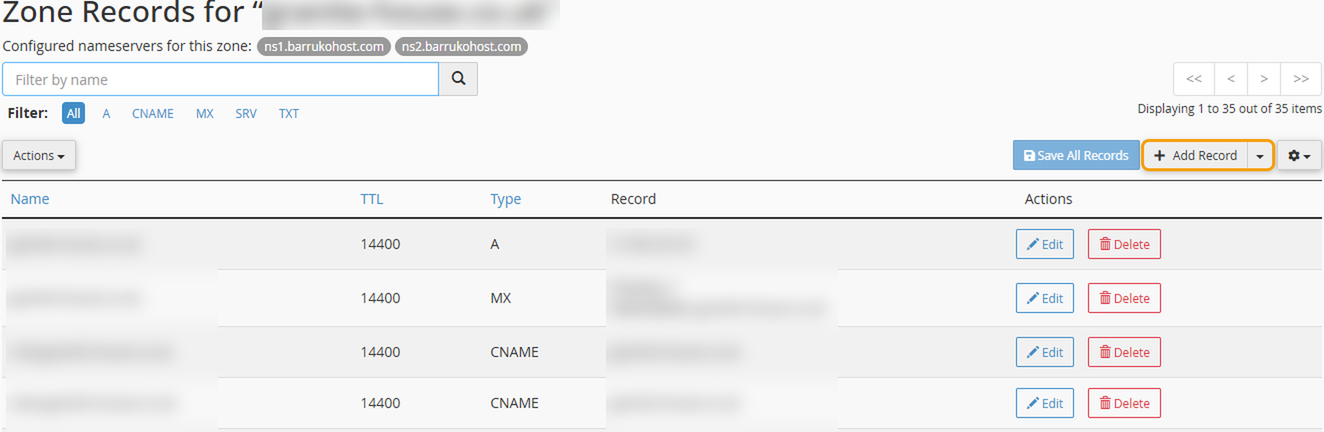
- Choose the record type and fill in the details you've been given. For example, to verify your domain with Google, you'd usually add a TXT record using your domain name as the name, and the code Google gives you as the record.
- Click Save Record.
To change an existing record, click Edit next to it, make your change and save it.
Good to know
- Changes can take time. Most DNS changes work within an hour, but some can take up to 24 hours to work everywhere.
- Be careful with A and MX records. A records point your domain to your website, and MX records control where your email goes. Changing or deleting them can take your website or email offline.
- The common record types are: A (points to a server), CNAME (points one name to another), MX (email delivery) and TXT (verification codes and email security settings).


