
Every domain has contact details registered against it, known as the WHOIS or registrant details. It's important to keep these up to date, as they're used to confirm who owns the domain and to send important notices about it.
Before you start
- Use an email address you check regularly. If you lose access to it, it can be much harder to prove the domain is yours.
- If you're the registered owner and you're changing the name or company to someone else's, this can count as a change of ownership. If that's what you're doing, open a ticket first so we can check there's nothing else needed.
Updating your contact details
- Log in to your client area and go to My Domains.
- Click the domain you want to update. You can also click the ... menu next to it and choose Edit Contact Information.
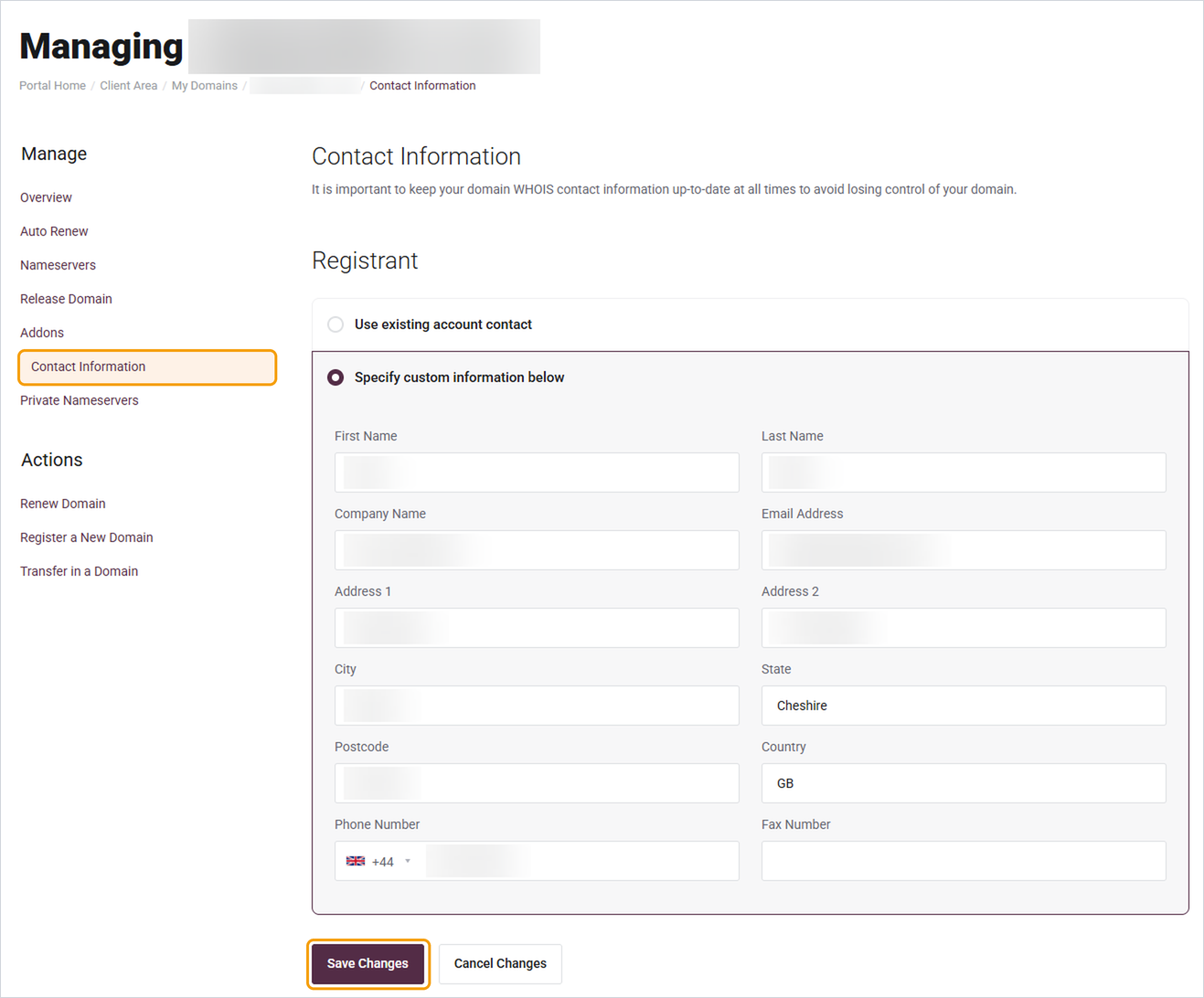
- Click Contact Information in the menu on the left.
- Choose how you'd like to set the details:
- Use existing account contact: uses the details already on your Barruko account.
- Specify custom information below: lets you enter different details just for this domain.
- Check each field and update anything that's wrong or out of date.
- Click Save Changes.
Good to know
- Changes to your Barruko account details don't always update your domain automatically, so it's worth checking both if you move or change email address.
- For some domain endings, you may get an email asking you to confirm the change. Click the link in it, otherwise the update may not go through.


