
Domains need renewing regularly, usually every year. You can renew a domain yourself at any time, or turn on auto-renew so you don't have to remember.
Before you start
- If a domain expires, any website and email using it will stop working. If it's left expired for long enough, someone else may be able to register it.
- You can see when each domain is due in My Domains, under Next Due.
Turning auto-renew on or off
With auto-renew on, we'll send you a renewal invoice before your domain expires, so it's renewed as long as the invoice is paid.
- Log in to your client area and go to My Domains.
- Click the domain. You can also click the ... menu next to it and choose Auto Renewal Status.
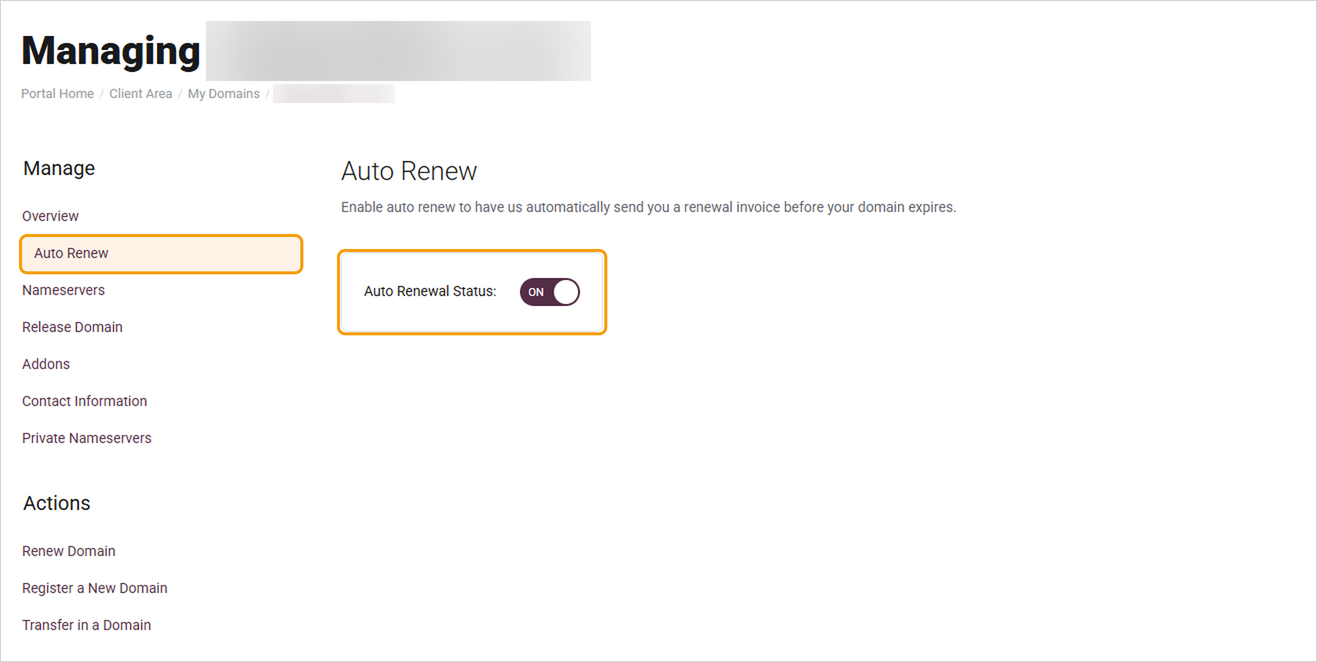
- Click Auto Renew in the menu on the left.
- Use the Auto Renewal Status switch to turn it on or off.
Renewing a domain now
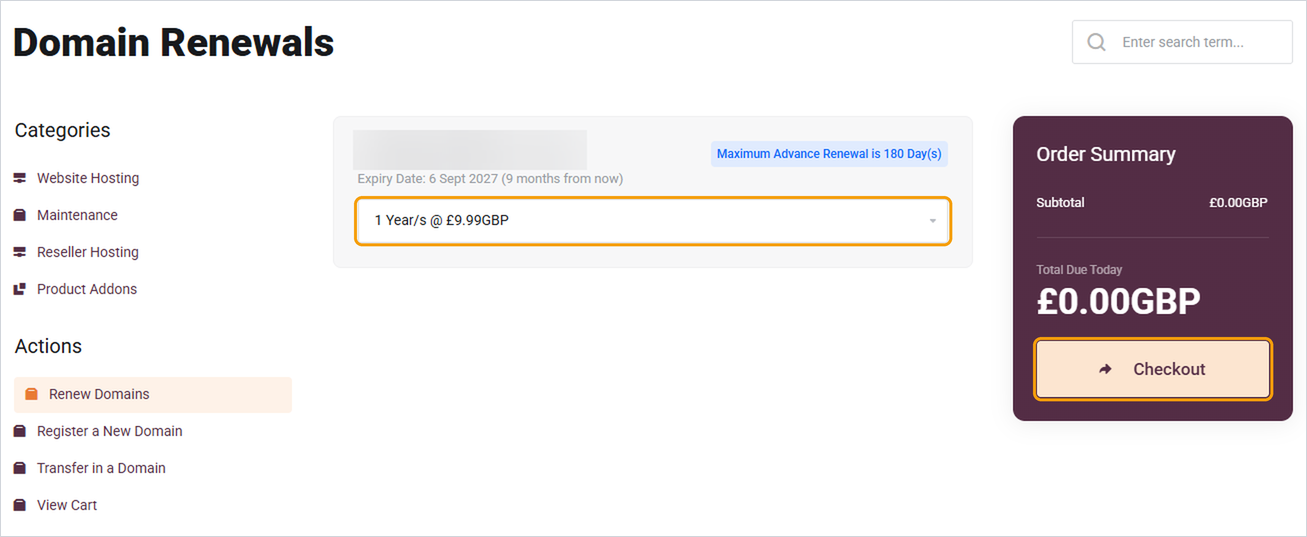
- In My Domains, click Renew Domains under Actions on the left.
- Choose how many years you'd like to renew for from the dropdown under the domain.
- Click Checkout and pay the invoice.
Your new expiry date will show in My Domains once the payment has gone through.
Good to know
- You can renew a domain up to 180 days before it's due.
- Turning auto-renew off doesn't cancel your domain straight away. It just means we won't send a renewal invoice, so the domain will expire on its due date unless you renew it yourself.
- Keep your card details up to date so renewals don't fail. See How to update your card details.
- If you no longer need a domain, you can turn auto-renew off and let it expire. If you'd like to move it to another company instead, see How to transfer a domain away from Barruko.
Need help?
If your domain has already expired, open a ticket as soon as possible and we'll check whether it can still be renewed.


