
Nameservers tell the internet where to find your website and email. If your domain is registered with us, you can change its nameservers in your client area.
Before you start
- If your website and email are hosted with Barruko, you usually don't need to change anything. Your domain will already be pointing to us.
- Changing nameservers moves your website and email to wherever the new nameservers point. If you set them incorrectly, your site and email can stop working, so only change them if you've been asked to, for example by a new host or by us.
Changing your nameservers
- Log in to your client area and go to My Domains. You'll find it under Domains in the footer, or by clicking the Domains tile on your dashboard.
- Click the domain you want to change.
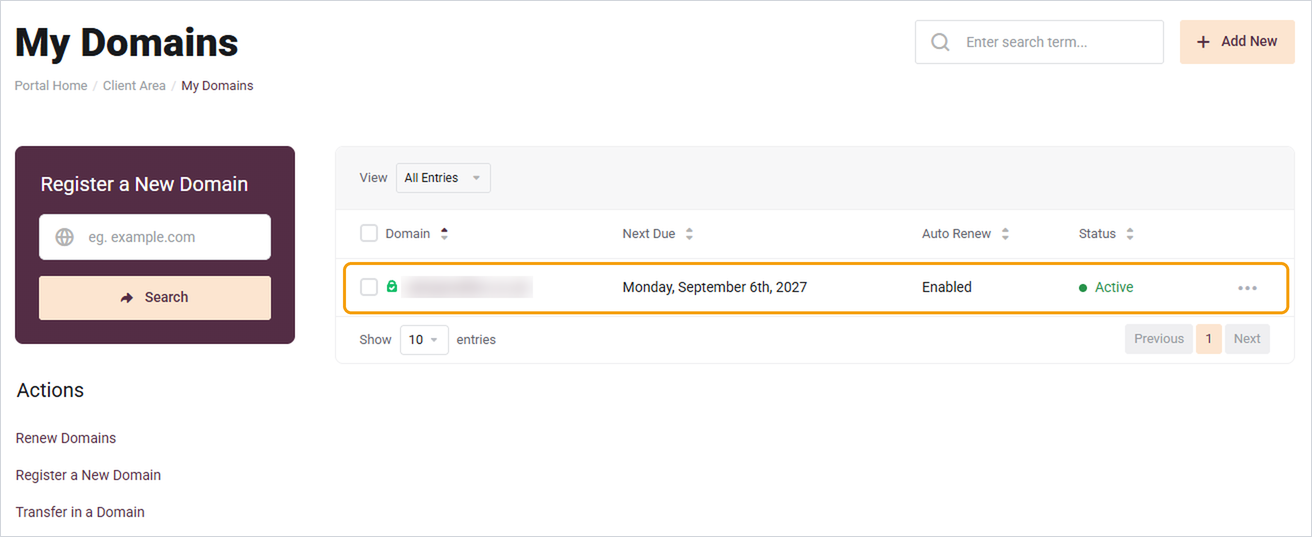
- Click Nameservers in the menu on the left.
- Choose Use custom nameservers and enter the nameservers you've been given. You need at least two.
- Click Change Nameservers.
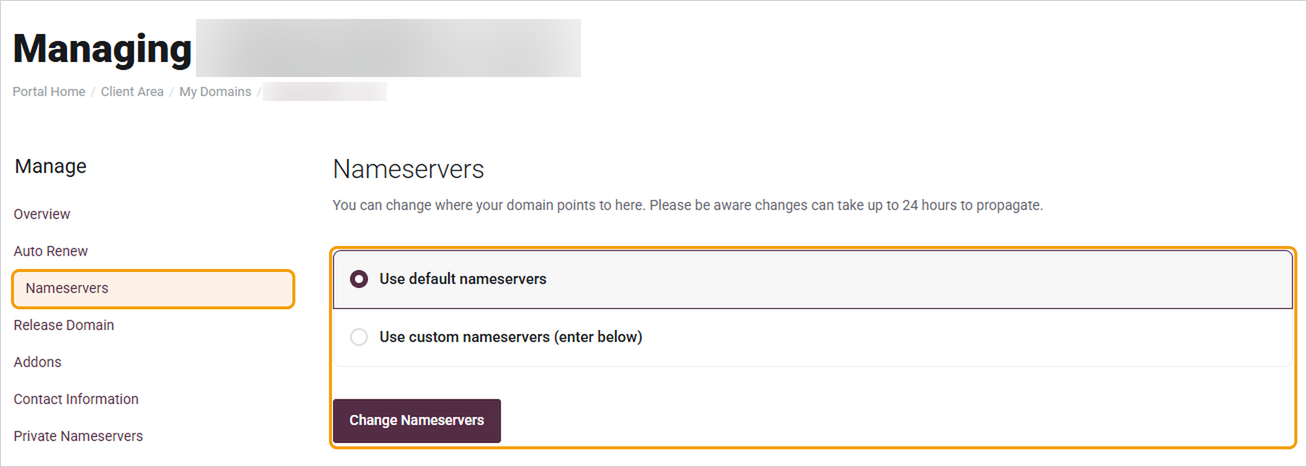
To go back to ours, choose Use default nameservers and save.
Good to know
- Nameserver changes can take up to 24 hours to work everywhere, though it's usually much quicker. During that time some people may still see the old site.
- Changing nameservers doesn't move your files or emails. Make sure your new host has your website set up before you switch.
- If your domain is registered somewhere else, you'll need to change the nameservers with that company instead.
Need help?
If you're not sure which nameservers to use, open a ticket and tell us the domain and where you'd like it to point.


