
Keeping WordPress, your plugins and your theme up to date is the best way to keep your website secure and working well. Most hacked websites are running out-of-date plugins.
If your website is on one of our maintenance plans, we handle updates for you, so you don't need to do this yourself.
Before you start
- Take a backup. If an update causes a problem, you can go back to how things were. See How to back up and restore your website.
- Pick a quiet time. Avoid updating when your website is busy, such as during a sale or just before a deadline.
Updating
- Log in to your WordPress dashboard. See I can't log in to WordPress if you have trouble.
- In the menu on the left, go to Dashboard > Updates. A number next to it shows how many updates are waiting.
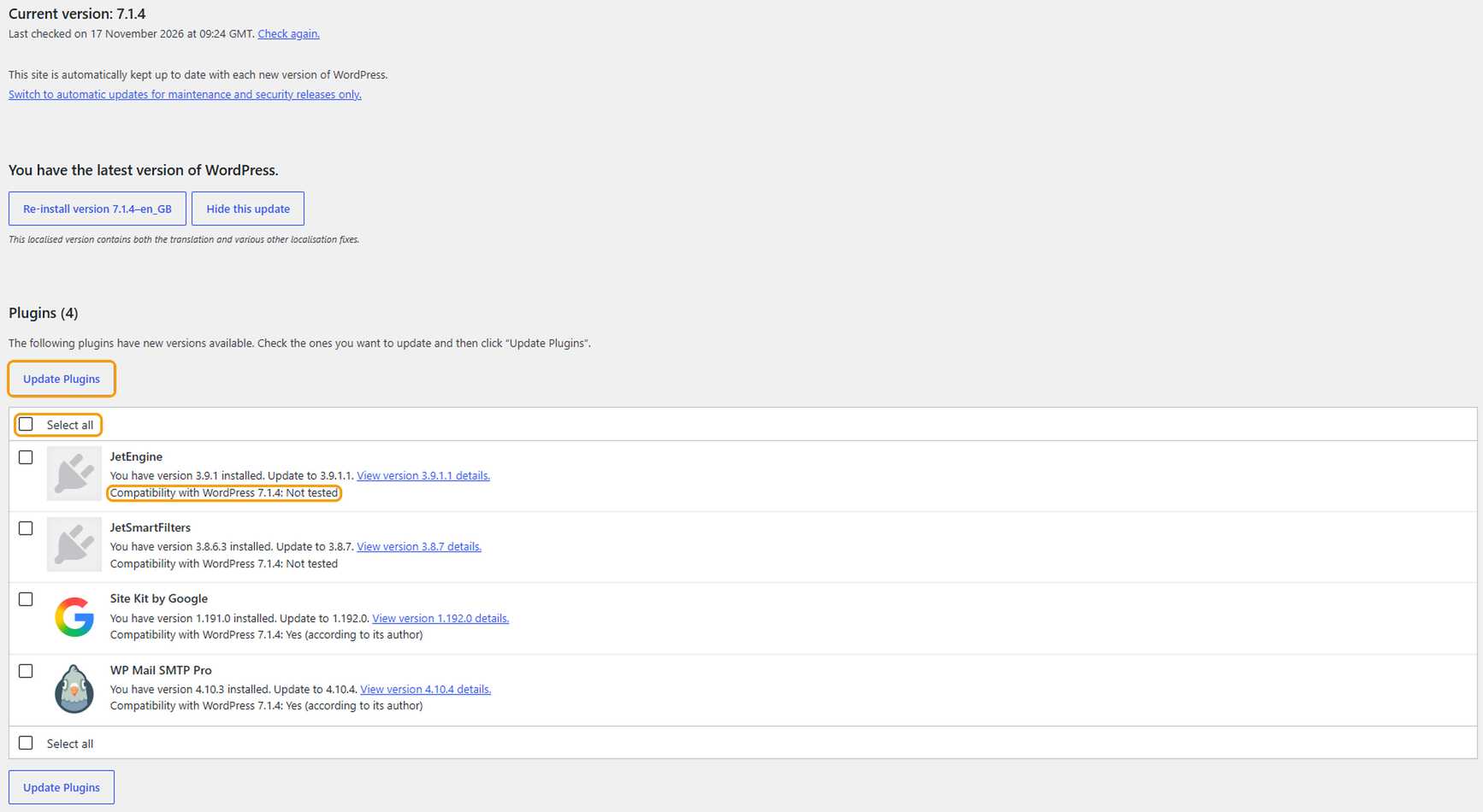
- If there's a new version of WordPress, click the button to update it first. Many websites update WordPress automatically, so you may see "You have the latest version of WordPress".
- Under Plugins, tick the plugins you want to update, or tick Select all, then click Update Plugins.
- Do the same for any Themes and Translations.
Don't close the page while updates are running. It can take a few minutes.
After updating
Open your website in a private window and check the main pages, your contact forms and, if you have one, your shop. If something isn't working, see My WordPress site shows a critical error or a white screen.
Good to know
- "Compatibility: Not tested" means the plugin's developer hasn't confirmed it works with your version of WordPress yet. It's usually fine, but it's safer to update these one at a time and check your website after each one.
- Some paid plugins and themes need an active licence to update. If an update fails or doesn't appear, check the licence is still valid.
- If you have lots of updates, update a few at a time rather than all at once. That way, if something goes wrong, it's easier to tell which one caused it.
If you'd rather we looked after this for you, get in touch about a maintenance plan.


