
Our servers run LiteSpeed, so the free LiteSpeed Cache plugin is the best way to speed up a WordPress site hosted with us. It saves ready-made copies of your pages so they load much faster for visitors.
Before you start
- You'll need to be able to log in to your WordPress dashboard as an administrator.
- Only use one caching plugin. If you already have another one (such as WP Rocket, W3 Total Cache or WP Super Cache), deactivate and delete it first.
- If you're on one of our maintenance plans, check with us first, as we may already manage this for you.
Installing LiteSpeed Cache
- Log in to WordPress by going to your website address followed by /wp-admin.
- Go to Plugins and click Add New Plugin.
- Search for LiteSpeed Cache. Make sure it's the one by LiteSpeed Technologies.
- Click Install Now, then Activate.
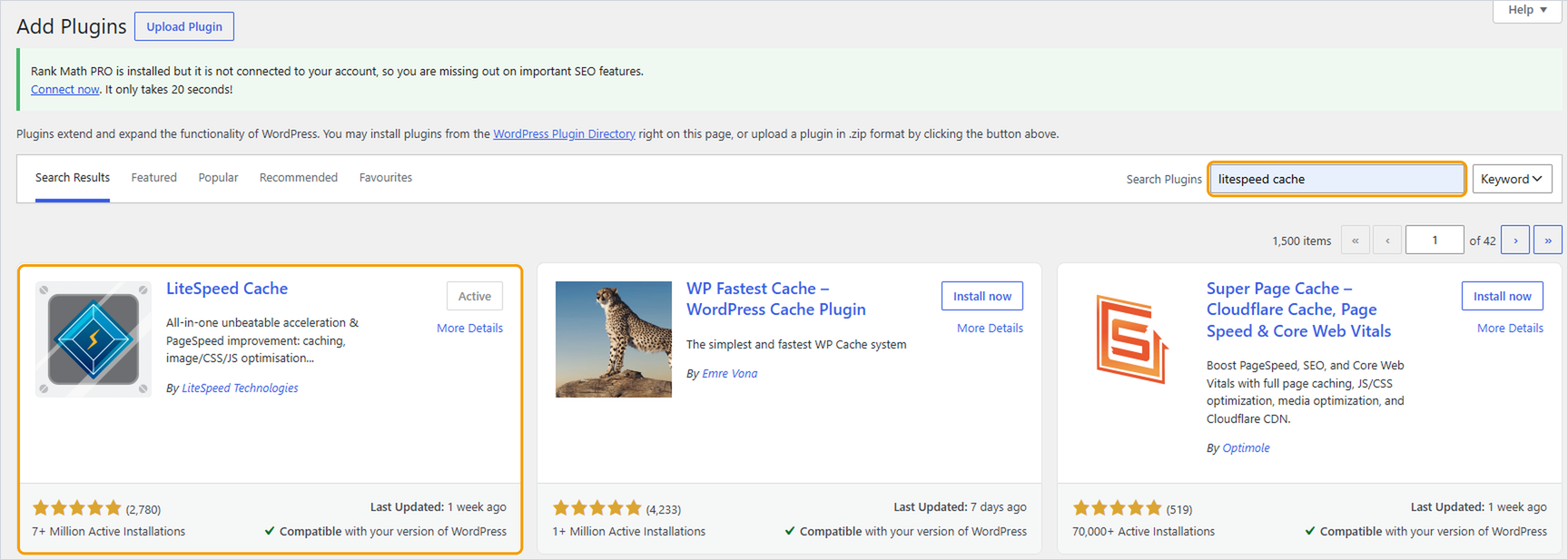
The plugin starts caching straight away with its default settings, which work well for most sites. You'll find its settings under LiteSpeed Cache in the WordPress menu.

Clearing the cache
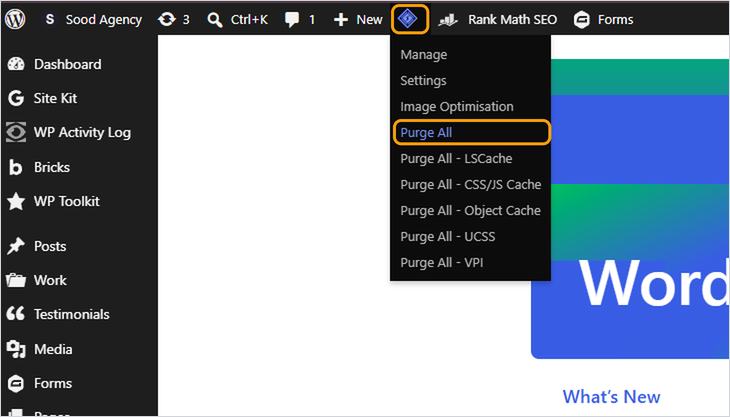
If you've made changes to your site and can't see them, clear the cache. Hover over the LiteSpeed icon in the black bar at the top of the WordPress dashboard and click Purge All.
Good to know
- Logged-in users usually see an uncached version of the site, so check your changes in a private or incognito browser window.
- Be careful with the image and CSS/JavaScript optimisation settings. They can speed things up further, but can also break a site's layout. Change one thing at a time and check your site after each change.
- If something looks broken after turning on a setting, turn it off again and purge the cache.
Need help?
If your site looks wrong after installing the plugin, deactivate it under Plugins and open a ticket with your website address.


