
Cloudflare sits between your website and your visitors. Its free plan can make your site faster and adds a layer of protection against attacks. Setting it up means moving your domain's DNS to Cloudflare, so it's worth reading this through before you start.
Before you start
- Moving your DNS to Cloudflare affects your website and your email. If the records aren't copied across correctly, either can stop working. If you're not confident, open a ticket and we'll help.
- You'll need access to wherever your domain is registered, so you can change its nameservers.
- If you only want a faster site, try LiteSpeed Cache first. It's simpler and doesn't involve changing your DNS.
Setting up Cloudflare
- Create a free account at cloudflare.com and verify your email address.
- Add your website by entering your domain name, then choose the Free plan.
- Cloudflare will scan your existing DNS records. Check the list carefully, especially any MX records (for email) and records for mail, webmail and www. Compare them with the Zone Editor in cPanel and add anything that's missing.
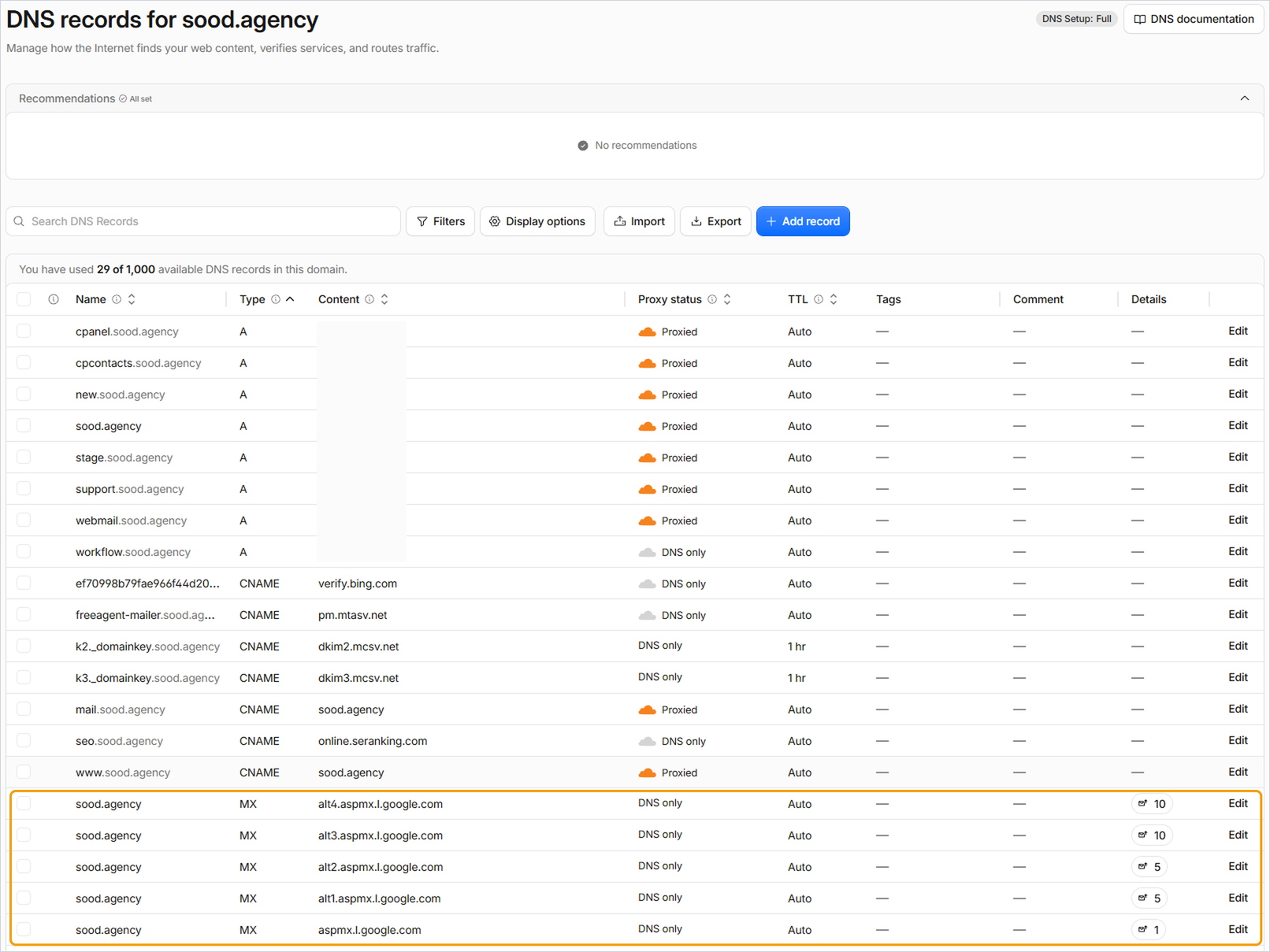
- Cloudflare will give you two nameservers. Replace your domain's current nameservers with these. If your domain is registered with us, see How to change your domain's nameservers.
- In Cloudflare, go to SSL/TLS and set the encryption mode to Full (strict). This stops errors such as pages refreshing endlessly.
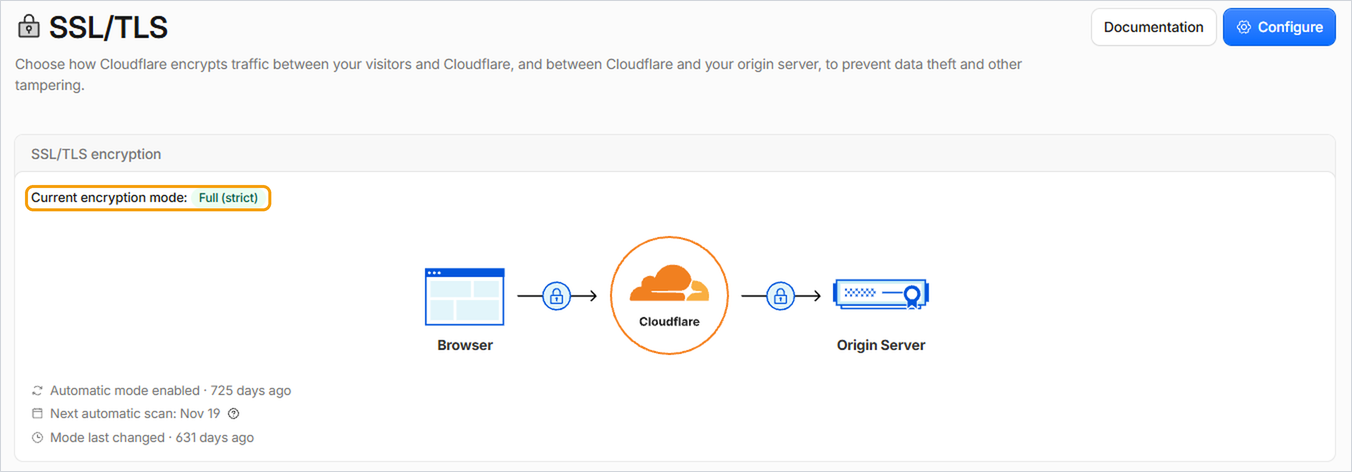
Cloudflare will email you once your site is active. This can take up to 24 hours.
Good to know
- Once Cloudflare is active, any future DNS changes need to be made in Cloudflare, not in cPanel or your client area.
- Make a note of your original nameservers before you change them, so you can switch back if you need to.
- If you see the wrong version of your site after making changes, clear both your LiteSpeed Cache and Cloudflare caches.


