
Raising a ticket is the quickest way to get help from us. The clearer your first message, the sooner we can sort things out.
Raising a ticket
- Log in to your client area.
- Go to Open Ticket. You can also click Tickets under Support at the bottom of any page in your client area, then Open Ticket.
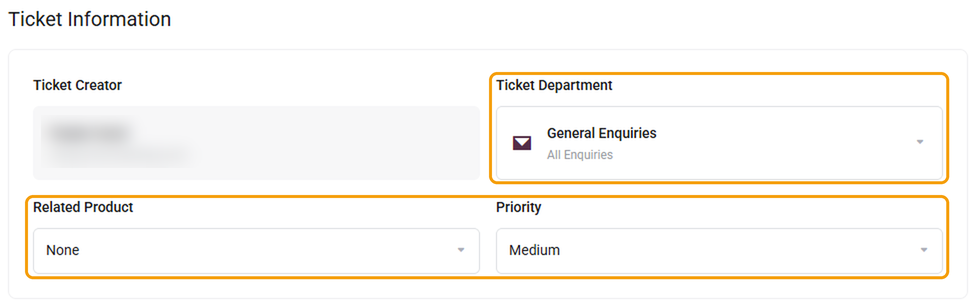
- Under Ticket Department, choose:
- Billing for invoices, payments, renewals and card details.
- General Enquiries for everything else, including your website, hosting, domains and email.
- Under Related Product, choose the website or service the ticket is about, if it's listed.
- Leave Priority as Medium, or set it to High if something isn't working at all, such as your website being down.
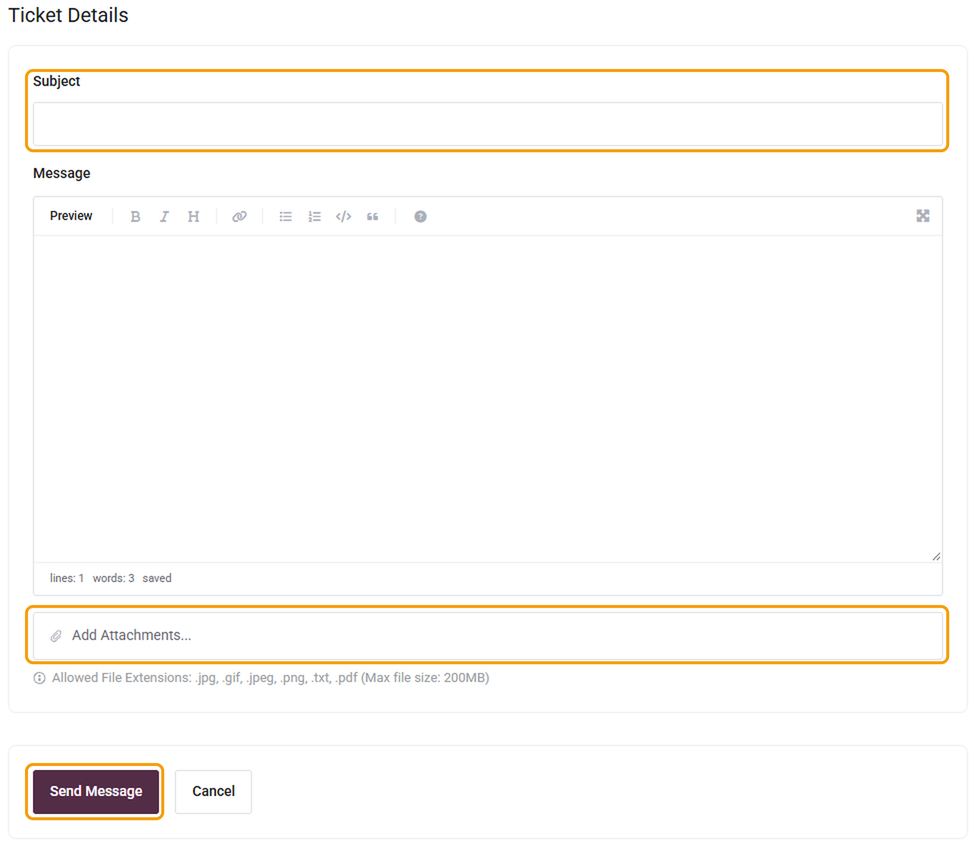
Enter a short, specific Subject, such as "Contact form not sending on yourdomain.co.uk".
- Write your Message, including the details listed below.
- Click Add Attachments to include any screenshots or files that help explain the problem. You can attach images, PDFs and text files.
- Click Send Message.
You'll get an email to confirm we've received it. We reply to every ticket within 24 hours, and urgent problems such as a website being down go to the front of the queue.
What to include
A problem with your website: the website address, what's wrong, when it started, whether anything changed recently, and a screenshot. See also My website is down: what to check.
A problem with email: the email address affected, the device and app you use, whether it's sending, receiving or both, and any error message.
A domain or DNS change: the domain name, what you'd like changed, and any deadline.
A billing question: the invoice number and what you need.
A change to your website (maintenance plans): the page it's on, what you'd like changed, any deadline, and any new images or text attached to the ticket.
Viewing and replying to tickets
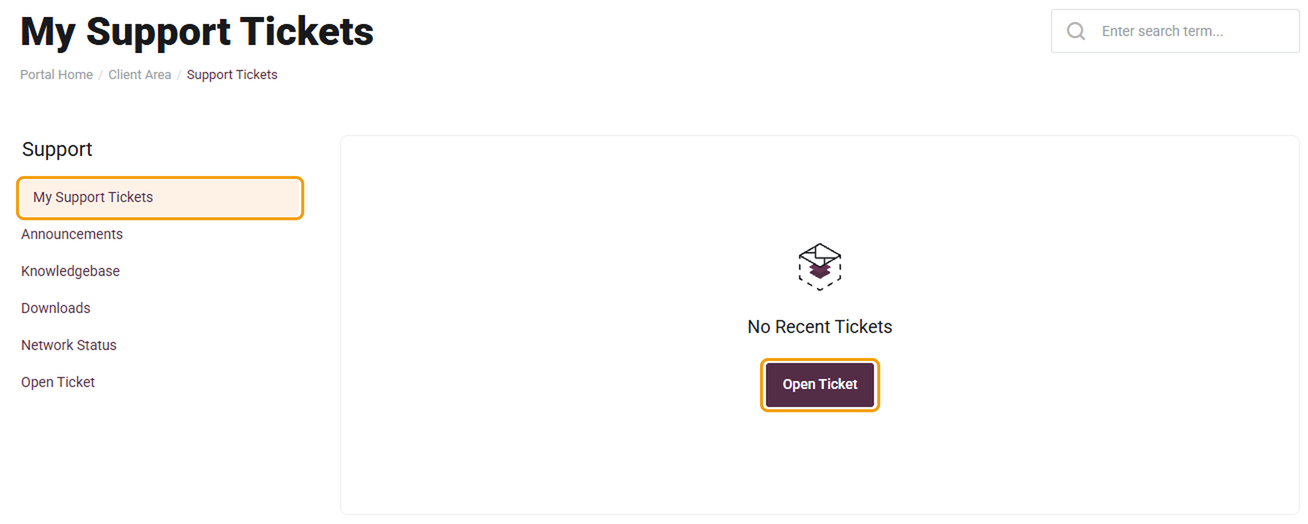
Your tickets are listed in My Support Tickets. You can also get there by clicking Tickets under Support at the bottom of any page. Click a ticket to read our reply or add more information.
Good to know
- One issue per ticket. If you have several unrelated questions, raise a ticket for each so we can work on them at the same time.
- Reply in the ticket rather than by email, so everything stays in one place.
- Don't put passwords in a ticket. See How to share login details with us safely.
- If it's urgent, set the priority to High and say so in the subject. You can also call us.
If you can't log in, you can still reach us by email or phone. See How to contact Barruko.


