
SSH lets you connect to your hosting account from a command line, and SFTP lets you transfer files securely using an app such as FileZilla. Most people won't need either, as cPanel and File Manager cover everyday tasks.
Before you start
- SSH and SFTP are switched off by default. To use them, open a ticket and ask us to turn them on for your account.
- Commands run over SSH take effect immediately and can't be undone. Only use it if you're comfortable working on a server.
Your connection details
- Host: your server name. You can find this in your browser's address bar when you're logged in to cPanel, before :2083. For example, if the address starts with server.barrukohost.com:2083, your host is server.barrukohost.com.
- Username: your cPanel username.
- Port: 22, unless we've told you otherwise.
- Password or key: your cPanel password, or an SSH key (recommended, see below).
Setting up an SSH key
A key is more secure than a password and means you don't need to type your password each time.
- In cPanel, go to Security and click SSH Access, then Manage SSH Keys.
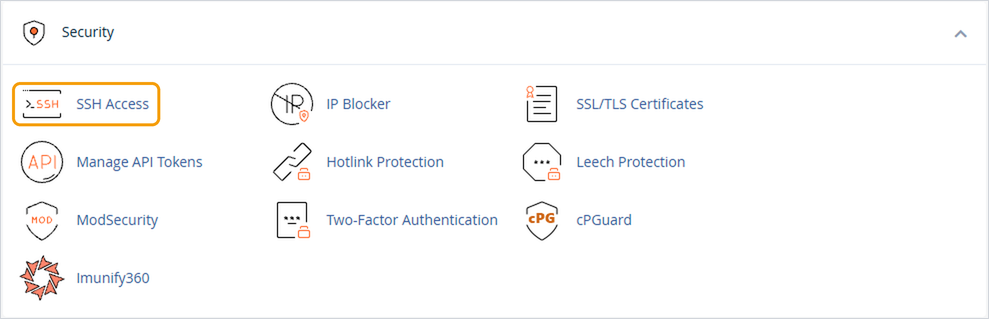
- Click Generate a New Key, give it a name and a strong passphrase, then click Generate Key.
- Go back to Manage SSH Keys. Under Public Keys, click Manage next to your new key and then Authorize. The key won't work until it's authorised.
- Under Private Keys, click View/Download next to your key and download it.
- For PuTTY on Windows, use the option to convert the key to PPK format, enter your passphrase, and download the .ppk file.
- For Mac or Linux, download the key as it is and save it in your .ssh folder.
Connecting
- PuTTY (Windows): enter your host and port 22 on the Session screen. Go to Connection → SSH → Auth and choose your .ppk file, then click Open and log in with your cPanel username.
- Terminal (Mac or Linux): run
ssh -i ~/.ssh/yourkey username@host, using your own key name, username and host. - SFTP (FileZilla or similar): use the same host, username and key, with the protocol set to SFTP and port 22.
Good to know
- Never share your private key. If you think it's been exposed, delete it in Manage SSH Keys and create a new one.
- If you no longer need SSH, let us know and we'll switch it off.


