
If you need help with your hosting, domains, email or website, you can get in touch with us in three ways. For most questions, a support ticket is the quickest route, as it keeps everything in one place and lets us track the conversation.
Open a support ticket
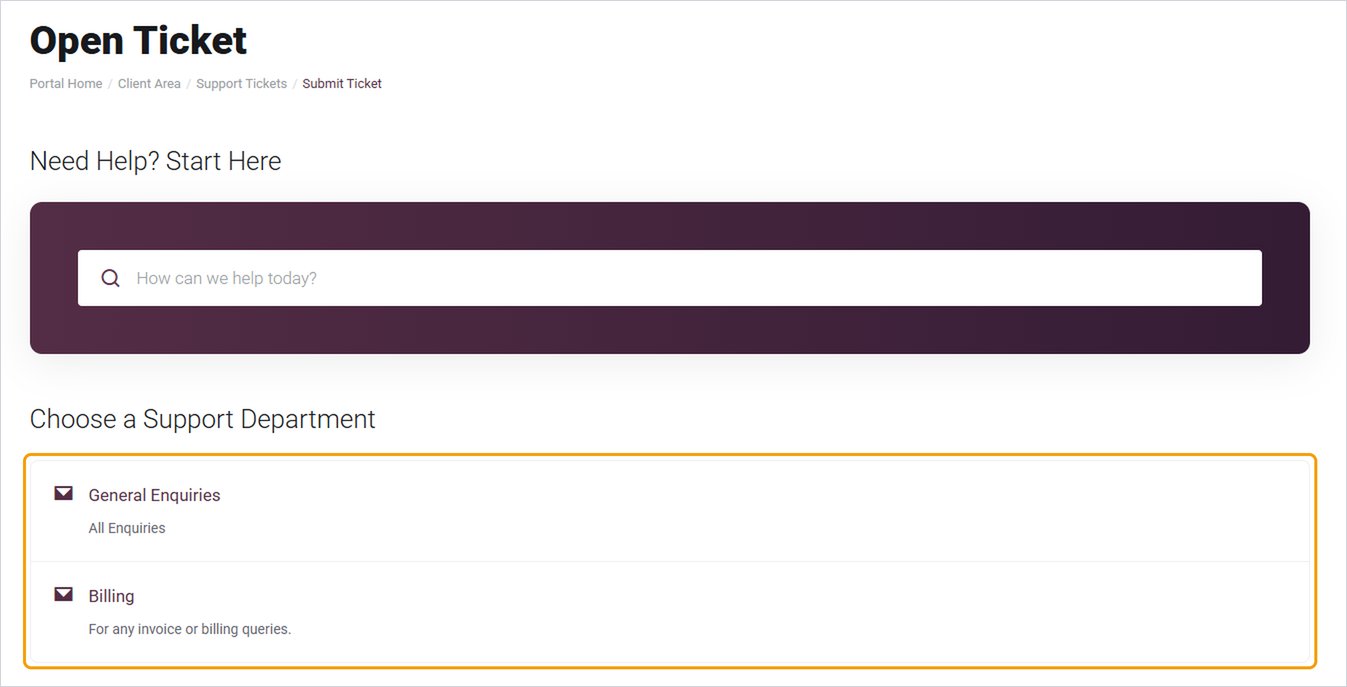
- Go to barruko.co.uk/billing/submitticket.php, or click Open Ticket under Support.
- Choose Billing for invoice or payment questions, or General Enquiries for everything else. You can also type your question into the search box first, as there may already be a help article that answers it.
- Add a clear subject, such as "Website showing an error" or "Can't receive emails", and describe the problem.
- Include your domain name, what you were doing when the problem happened, and any error messages. Screenshots help too.
- Click Submit. You'll get an email confirming your ticket, and our replies will be sent to the same address.
You don't need to be logged in to open a ticket, but if you are, it'll be linked to your account automatically and you can follow it under My Support Tickets.
Email us
Email [email protected]. Your email will create a ticket for you, so you can reply to our responses as normal.
Call us
Call 0330 341 3567.
Good to know
- If your website is down or your email has stopped working for everyone, put URGENT at the start of your ticket subject so we can see it straight away.
- Never send passwords or card details in a ticket or email. If we need access to something, we'll tell you the safest way to share it.
- One issue per ticket helps us get things fixed faster.


