
A subdomain is an extra address that sits in front of your main domain, such as shop.yourdomain.co.uk or staging.yourdomain.co.uk. You can use one to run a separate website alongside your main site, using the same hosting account.
Before you start
- If your domain uses our nameservers, the subdomain will work straight away. If your domain's DNS is managed somewhere else, you'll also need to point the subdomain to us there. Open a ticket if you're not sure.
- Each subdomain counts towards your plan's website limit, if it has one.
Creating a subdomain
- Log in to cPanel. See How to log in to cPanel if you're not sure how.
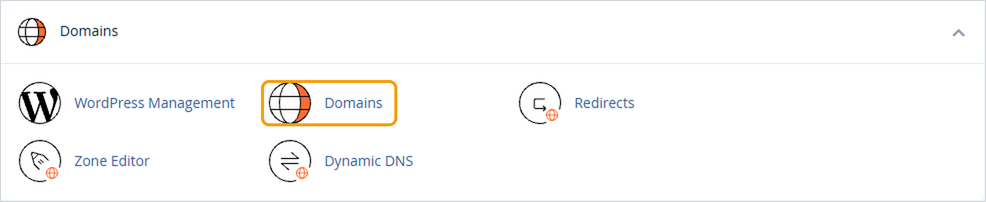
- Under Domains, click Domains.
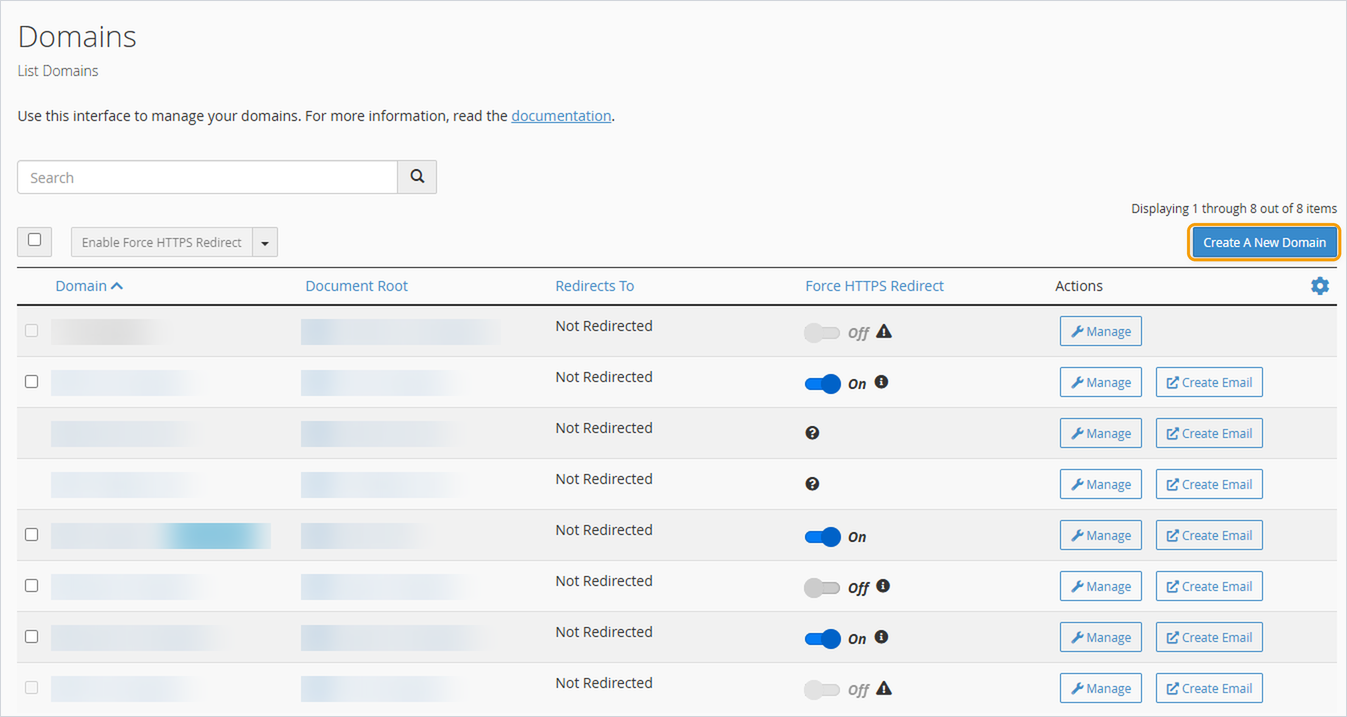
- Click Create A New Domain.
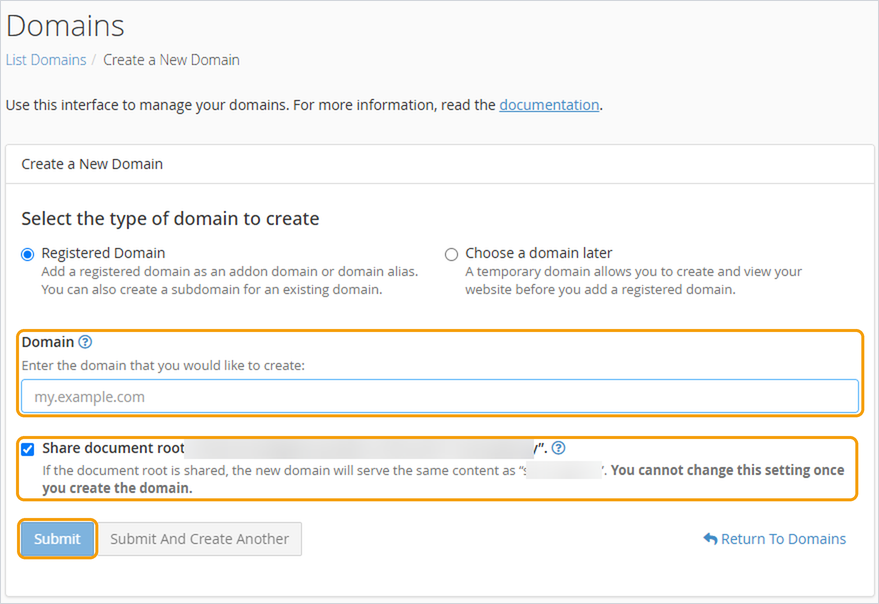
- Leave Registered Domain selected.
- In the Domain box, type the full subdomain, for example shop.yourdomain.co.uk.
- Untick Share document root. This gives the subdomain its own folder, so it can be a separate website. If you leave it ticked, the subdomain will just show your main site. You can't change this afterwards.
- Click Submit.
Adding a website to it
Your new subdomain will have its own folder, shown under Document Root on the Domains page. You can upload files there using File Manager, or install WordPress on it using WordPress Manager by Softaculous in cPanel.
Good to know
- A free SSL certificate is usually added to new subdomains automatically, though it can take a little while to appear. Until then, you may see a security warning in your browser.
- To remove a subdomain later, go back to Domains, click Manage next to it and choose to remove it. This doesn't delete its files, so remove those separately if you don't need them.


