
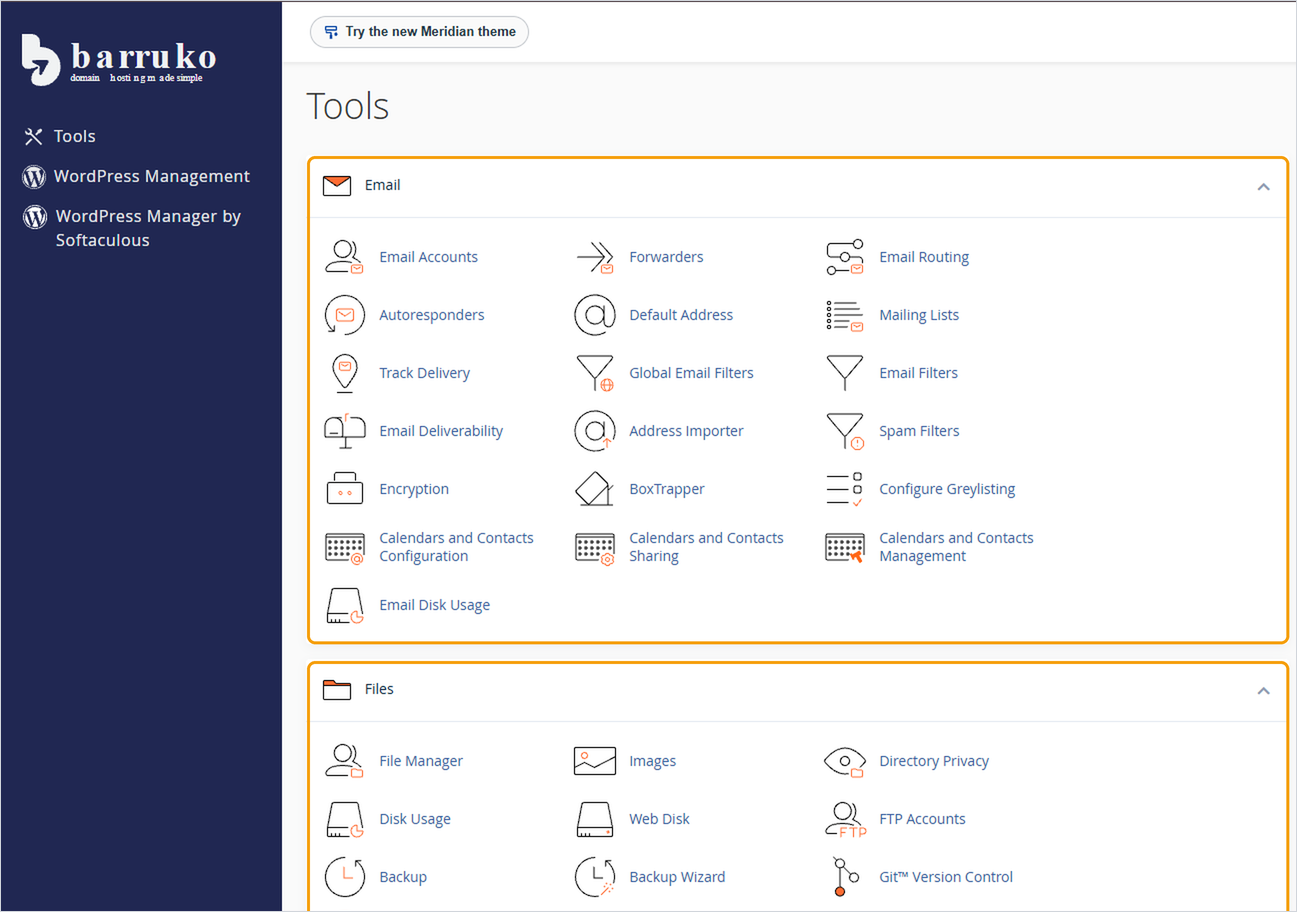
cPanel is the control panel for your Barruko hosting. It's where you manage your website files, email accounts, databases and backups. The easiest way to open it is through your client area, so you don't need a separate password.
Before you start
You'll need to be logged in to your client area and have an active hosting service. If you can't log in, see How to log in to your client area.
Opening cPanel
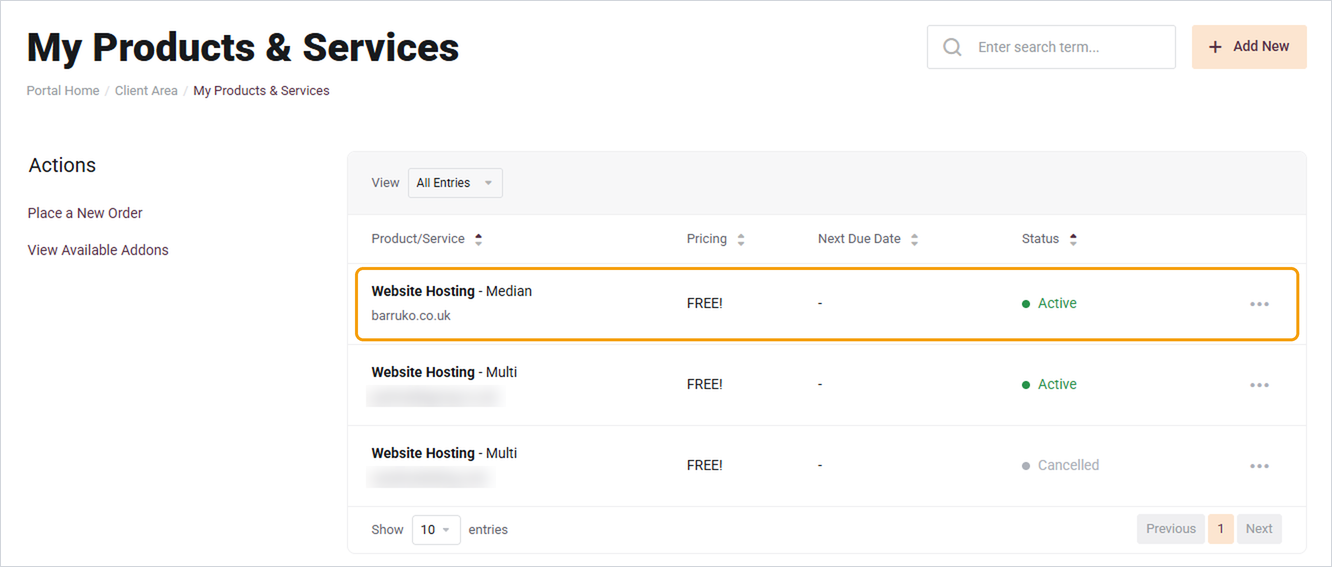
- Go to My Services. You'll find it by clicking the Services tile on your dashboard, or under Services in the footer.
- Click the hosting service you want to manage.
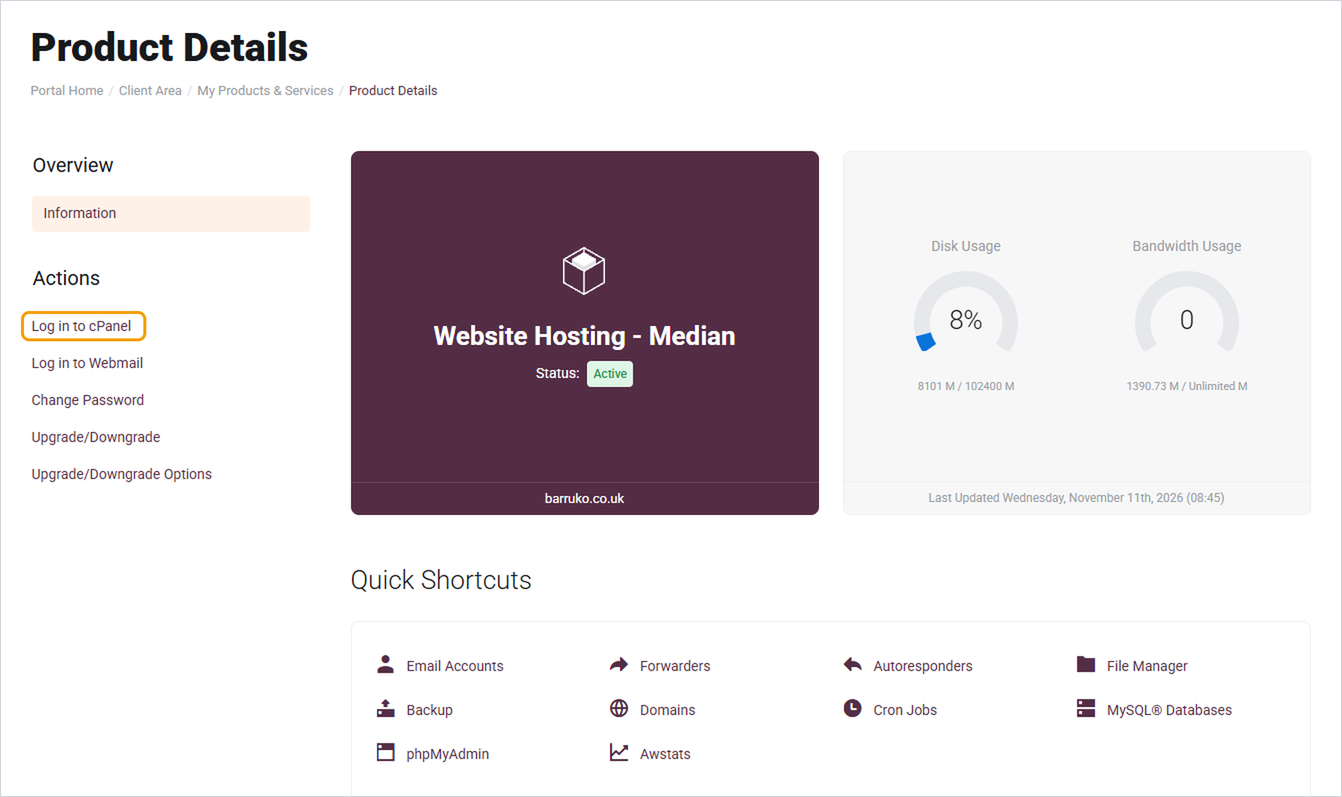
- Click Log in to cPanel under Actions on the left.
- cPanel opens in a new tab, already logged in.
Good to know
- Your cPanel login is separate from your client area, webmail and WordPress logins. Changing one doesn't change the others.
- To log in to WordPress, go to your website address followed by /wp-admin, for example yourdomain.co.uk/wp-admin.
- Bookmark your client area rather than the cPanel address, as the cPanel address can change if your hosting moves to a different server.
- The same page also has shortcuts to webmail, email accounts, File Manager and backups, so you don't always need to open cPanel itself.
Need help?
If you can't see a Log in to cPanel option, or cPanel won't load, open a ticket with your domain name and a screenshot of what you're seeing.


