
Webmail lets you read and send email from any web browser, without setting anything up on your device. It's useful when you're away from your usual computer, or for checking an email account is working.
Before you start
You'll need your full email address and that mailbox's password. Your email password is separate from your client area and cPanel passwords. If you don't know it, see How to change your email password.
Logging in to webmail
- In your browser, go to your website address followed by /webmail, for example yourdomain.co.uk/webmail.
- Enter your full email address and your email password, then log in.
- On the webmail home page, click Open under Roundcube to go to your inbox.
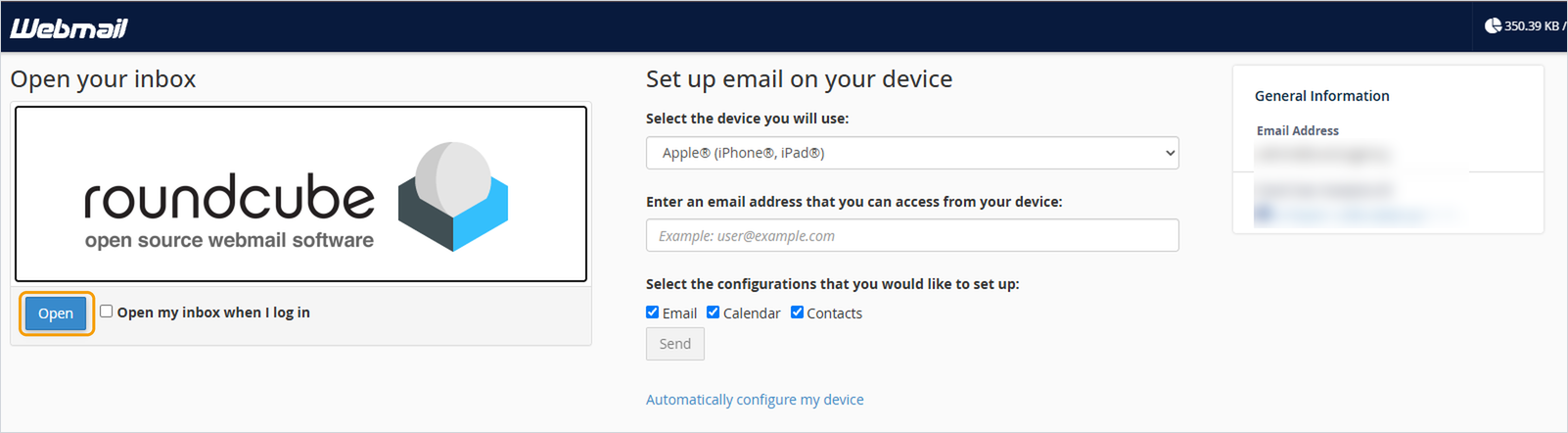
To go straight to your inbox next time, tick Open my inbox when I log in before clicking Open.
From your client area
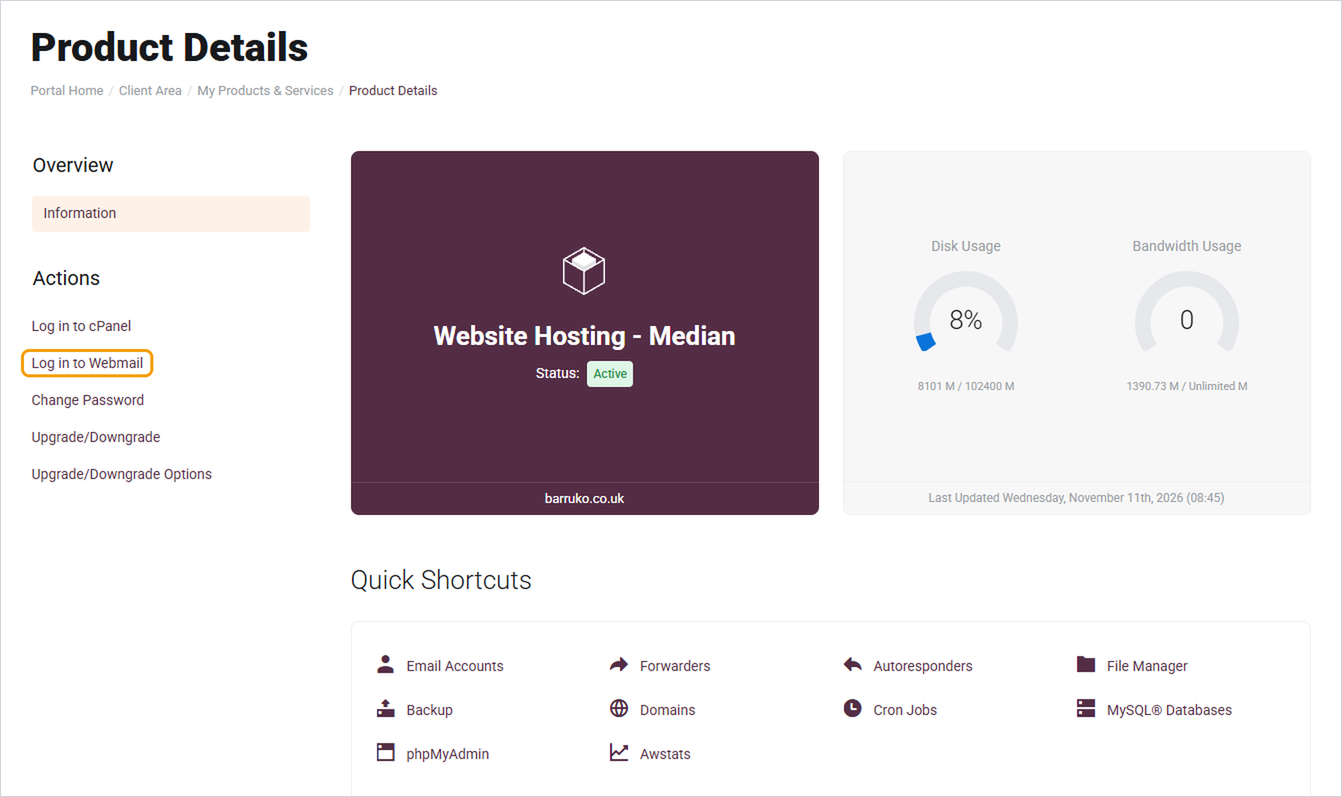
If you manage the hosting, you can also get there from your client area. Go to My Services, click your hosting service, then click Log in to Webmail under Actions on the left. Sign in with the email address and password for the mailbox you want to open.
Good to know
- Always use the full email address, such as [email protected], not just the part before the @.
- The webmail home page also has shortcuts to set up email on your phone or computer, change your password and set up an autoresponder.
- Log out when you've finished if you're using a shared or public computer.
Need help?
If your password isn't accepted or webmail won't load, open a ticket with the email address you're trying to use. Never include the password.


