
If you need more space, more email accounts or more websites, you can move your hosting to a bigger plan. You can also move to a smaller plan if you need less.
Before you start
- If you're moving to a smaller plan, check your current usage fits within it, especially disk space and the number of email accounts and websites. You can see your disk usage on your hosting service page.
- Your website, files and email stay where they are. Nothing needs moving.
Changing your plan
- Log in to your client area and go to My Services.
- Click your hosting service.
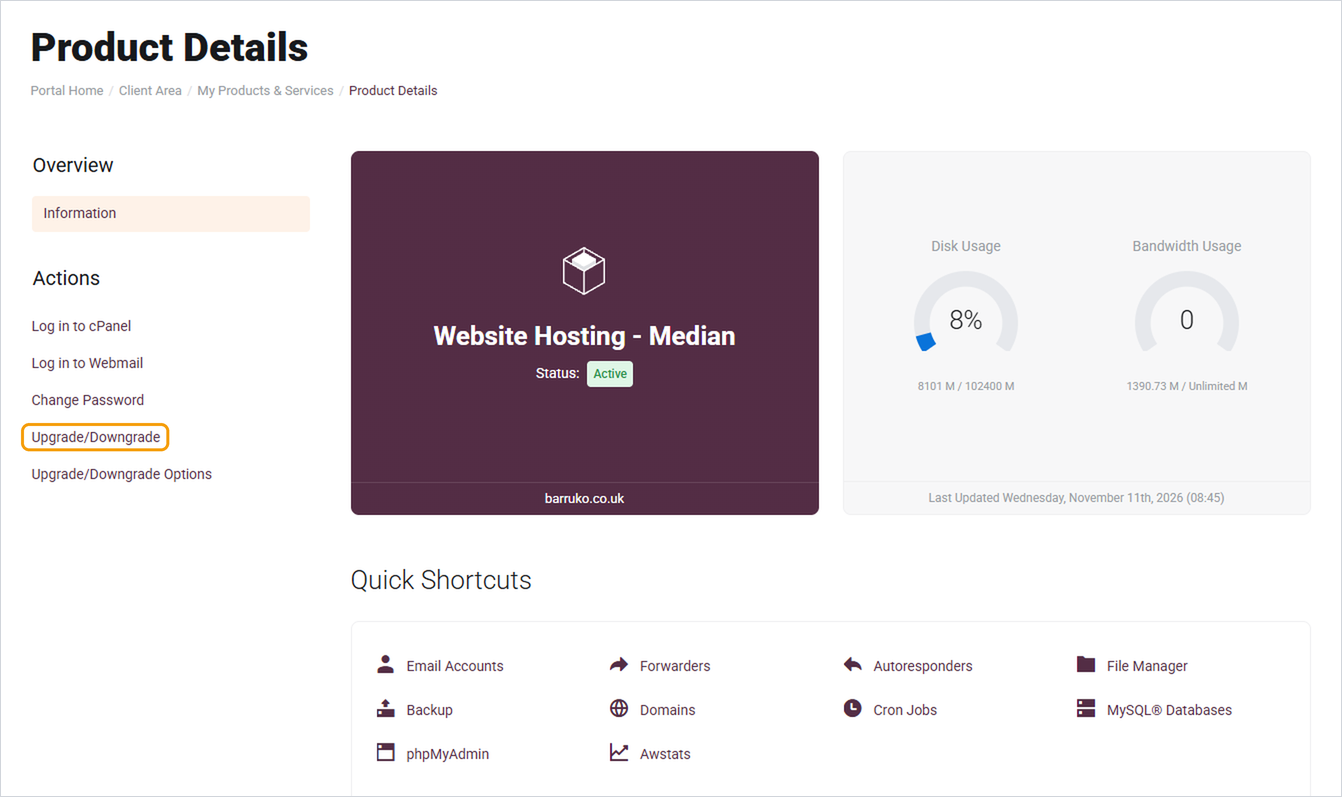
- Click Upgrade/Downgrade under Actions on the left.
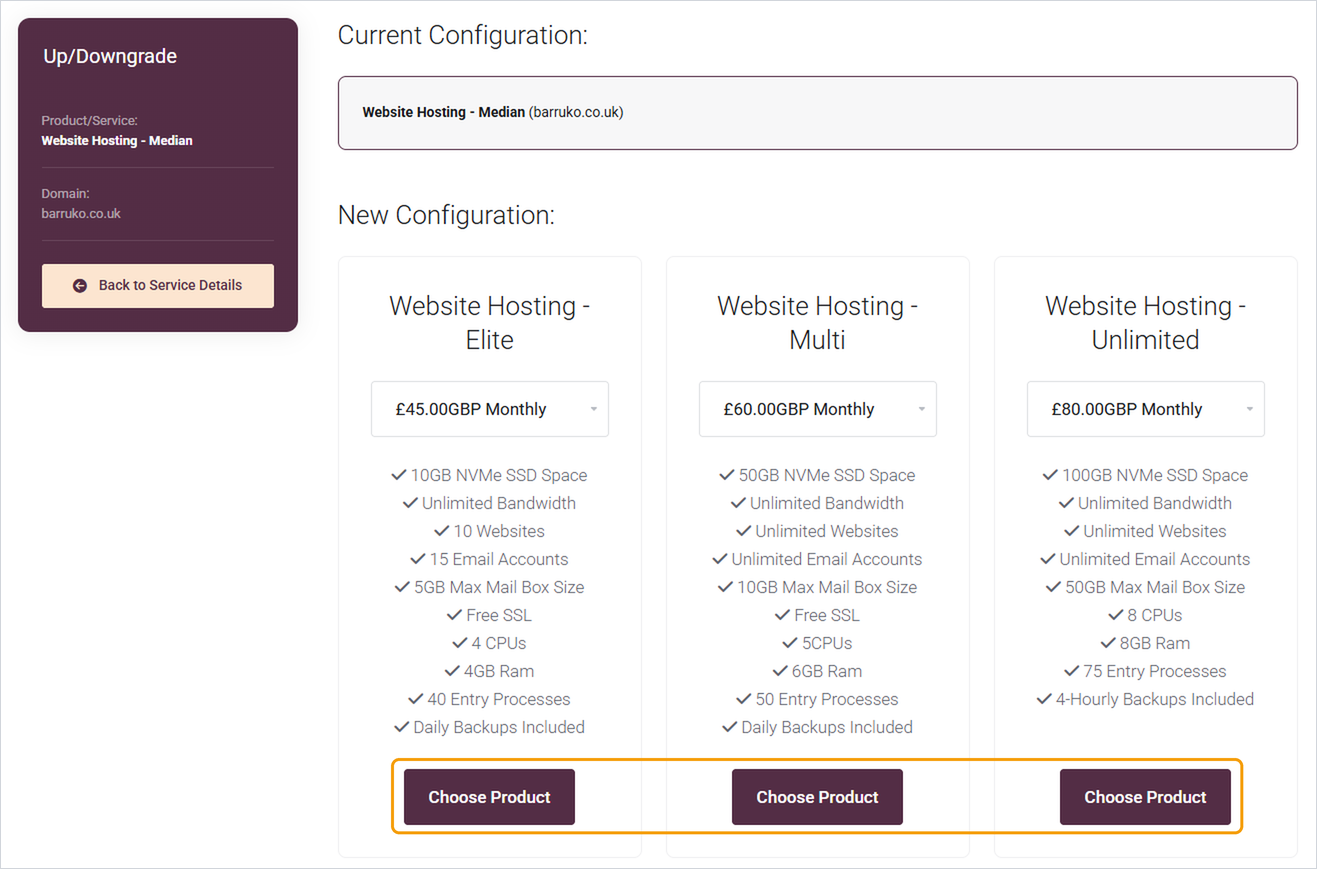
- Compare the plans and choose your billing period from the dropdown under the one you want.
- Click Choose Product.
- Check the summary, including the amount due, then complete checkout.
Once the order is paid, your plan usually changes automatically within a few minutes.
Good to know
- You'll see exactly what you'll pay before you confirm. The amount takes into account any time already paid for on your current plan.
- Need help choosing? Open a ticket and tell us what you're running out of, and we'll suggest the right plan.
- If you'd like to cancel your hosting rather than change it, open a ticket and we'll talk you through it, as cancelling removes your website and email.


