
Add-ons are optional extras you can attach to an existing hosting service, such as extra backups. You can see and order them from your client area.
Before you start
You'll need an active hosting service to attach the add-on to. Check what's already included in your plan first, so you don't pay for something you already have.
Ordering an add-on
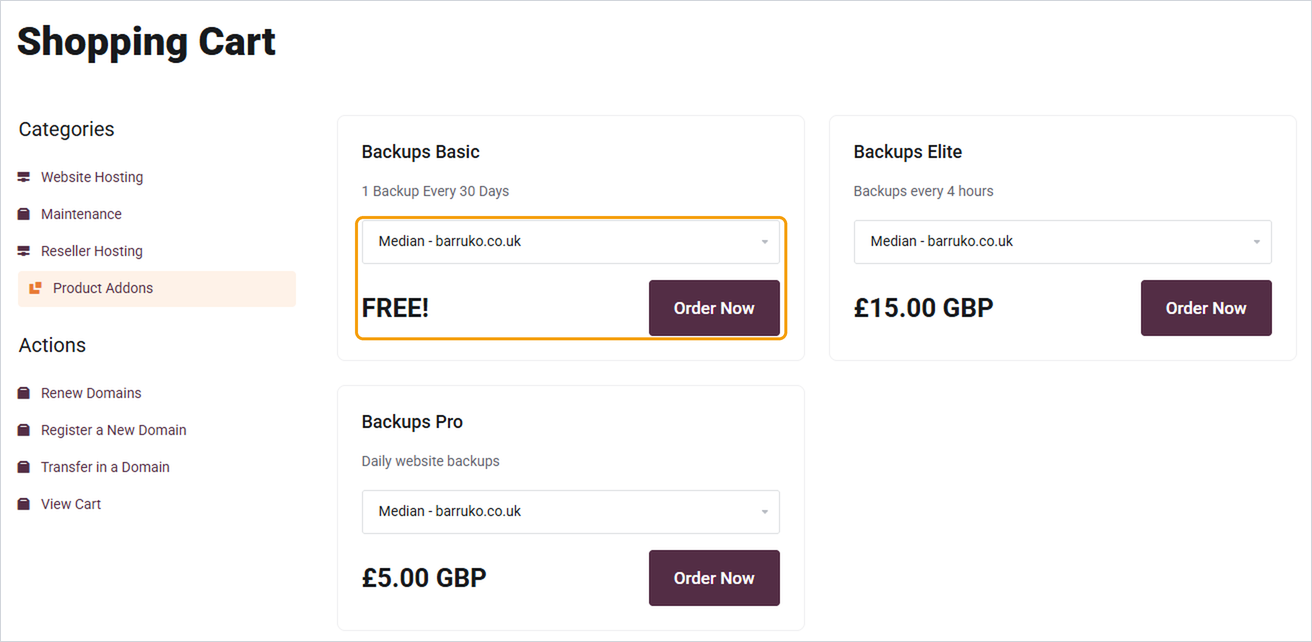
- Log in to your client area and click View Available Add-ons under Services in the footer. You can also click Product Addons under Categories on any order page.
- Find the add-on you'd like. The description shows what it includes.
- Use the dropdown to choose which hosting service it's for.
- Click Order Now and complete checkout.
You can also add some extras directly from your hosting service page, under Addons and Extras.
Good to know
- Add-ons are billed alongside the hosting service they're attached to.
- If you're not sure which add-on you need, open a ticket and tell us what you're trying to do.
- To cancel an add-on, open a ticket with the add-on and the domain it's attached to.


