
Your client area is where you manage your services, view and pay invoices, raise support tickets and update your account details.
Before you start
You'll need the email address you signed up with and your Barruko password. If you've forgotten your password, see How to reset a forgotten password.
Logging in
- Go to barruko.co.uk and click Login in the top right. You can also go straight to barruko.co.uk/billing/login.
- Enter your email address and password.
- Click Login.
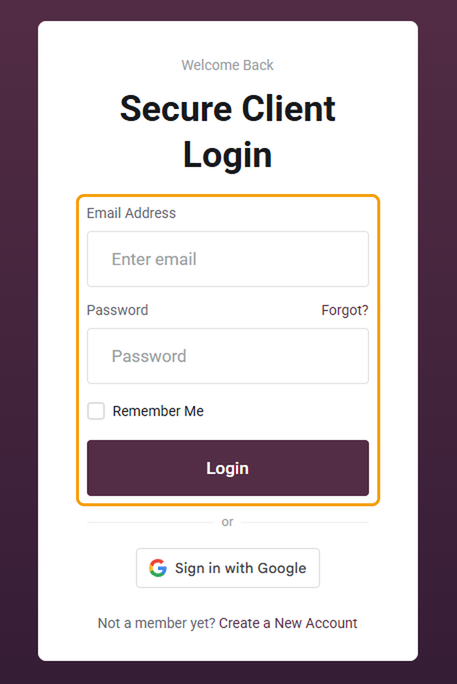
If your account uses the same email address as your Google account, you can click Sign in with Google instead.
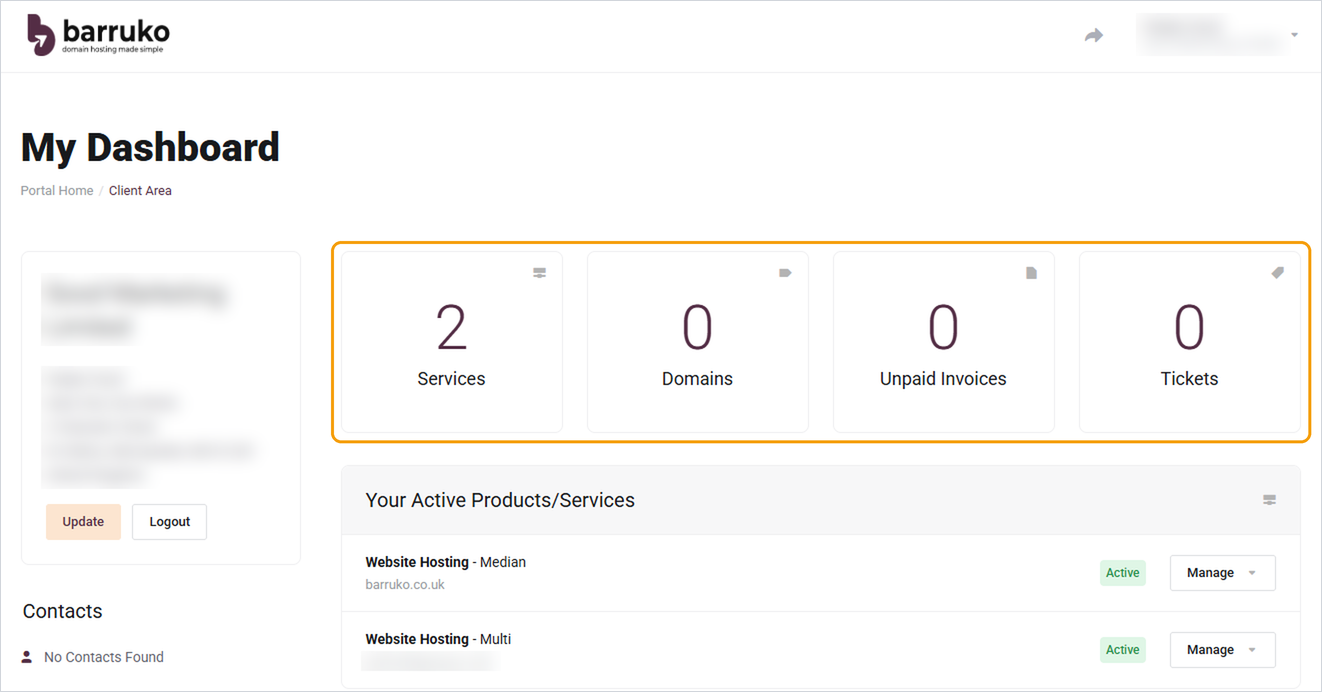
Once you're in, you'll see your dashboard with your active services, recent invoices and any open tickets.
Good to know
- Your client area login is separate from cPanel, webmail and WordPress. Each has its own username and password.
- Only tick Remember Me on your own device, never on a shared or public computer.
- If you can't see services you were expecting, check the name shown in the top right. You may be logged in to a different account.
Still can't get in?
If the password reset email isn't arriving, open a ticket (you don't need to be logged in) and include the email address you signed up with and the domain name on your account.


